
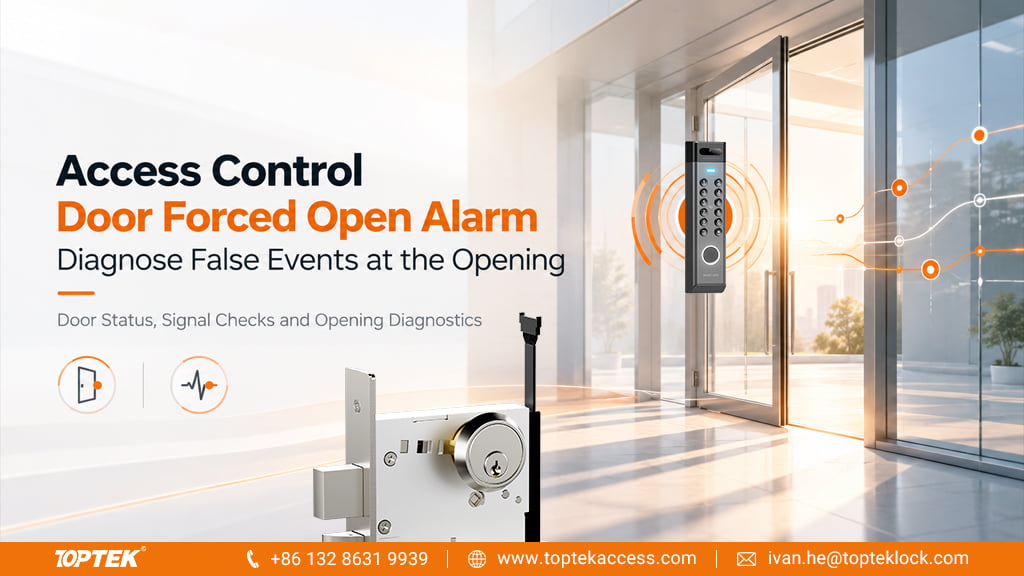

An access control door forced open alarm is a controller’s interpretation of an opening event. It is not, by itself, proof that an electronic mortise lock has failed. The door contact, authorisation record, exit input and physical locking condition must be considered together. Buyers reviewing TOPTEK’s electronic lock and access control range should define those interfaces before selecting the lock and monitoring arrangement.
TL;DR
- Compare the door-open transition with the access grant or recognised exit event.
- Keep door position separate from latch, bolt and lock-command status.
- Investigate repeated false alarms without disabling required escape functions.
- Check input assignment, polarity, physical contact alignment and event timing before replacing hardware.
- Specify alarm responsibility and acceptance tests with the controller integrator.
Quick Answer
An access control door forced open alarm commonly means that the system detected an open door without recognising an authorised opening condition. False events can result from a misassigned door contact, incorrect input logic, an unrecognised request to exit, mechanical key use outside the configured process or inconsistent event timing. Start with the exact controller manual and an event log for the affected opening. Compare what physically happened with what each input reported. Confirm the lock’s real latching condition separately, and preserve the required escape function while correcting the monitoring or configuration problem.
Distinguish forced-open, held-open and lock-status events
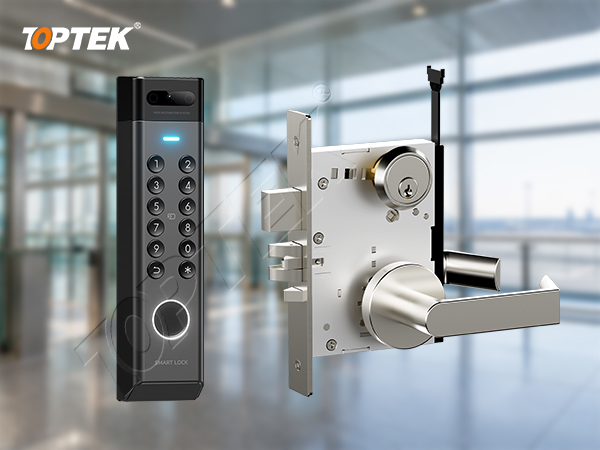
A forced-open event concerns whether the system recognises permission for the opening. A held-open event concerns a door remaining open beyond the configured allowance. A lock-status event reports a particular monitored condition, where that signal is available. These events can occur around the same door movement, but they answer different questions.
A door contact normally reports position according to its installation and configuration. It does not necessarily prove that a latch has engaged in its strike or that a deadbolt is fully projected. Similarly, an unlock command records what the controller requested; it does not independently prove that the mechanism released. Keep these distinctions visible in the opening schedule and troubleshooting record.
As a specific controller example, AXIS A1601 documentation describes a REX option that recognises an exit request without electrically unlocking the door, for openings operated mechanically. It also relates forced-open detection to the access period. Those settings illustrate the relationship between permission and movement; they are not a declaration of TOPTEK compatibility or settings to copy into another controller.
Build one timeline for the affected opening
Collect the door ID, controller identity, lock version and the time of the reported event. Record what the user did: presented a credential, used an inside handle, operated an exit button or used a mechanical key. Note whether the door actually opened and whether any damage, loose fixing or failure to latch was observed.
Then compare the access grant, unlock command, recognised exit input, door-open transition, door-close transition and any available lock feedback. Establish the clock source and time zone for each record. Events displayed by two systems can appear out of order when their clocks or logging delays differ, so do not infer a mechanical fault from the display order alone.
| Observed condition | Check next | Evidence to retain |
|---|---|---|
| Alarm during normal inside exit | Whether the controller recognised the intended exit input | Input state and timestamp compared with door opening |
| Alarm after a valid credential | Access grant, command and door-event relationship | Opening ID, grant result and event sequence |
| Alarm with the leaf apparently closed | Contact alignment, input assignment and wiring condition | Physical position and controller input indication |
| Alarm after mechanical key entry | The agreed procedure for recognising that authorised access | Key-use observation and configured event handling |
| Door opens without intended release | Physical latching and the actual release command | Strike engagement, lock condition and command record |
Use a short observation window around the incident rather than an isolated alarm screenshot. Preserve relevant logs before changing settings. Remove personal credential information from supplier enquiries where it is not needed; the technical sequence can usually be described using a test identity and door reference.
Check the door contact and input interpretation
Confirm that the input labelled for the opening is connected to its actual door contact. In a multi-door cabinet, a correct-looking signal can belong to the neighbouring doorway. During a managed test, move only the selected leaf and watch the assigned input. Record both the physical position and the displayed state.
Next compare the installed contact type and normal state with the controller configuration. “Normally open” or “normally closed” labels must be interpreted using the component documentation and the system’s definition of its normal condition. Do not correct the display merely by reversing a setting without checking what happens when the door opens and when a wiring fault occurs.
If supervised inputs are used, the controller’s specified circuit and end-of-line arrangement determine which conditions it can distinguish. A technician should check that arrangement against the actual wiring diagram. Do not borrow resistor values or wiring layouts from a different panel. An input fault is a separate finding from a confirmed unauthorised opening.
Inspect contact mounting and alignment in the closed position. Movement in the leaf, frame, cable or contact can produce an unstable signal. Observe whether the indication changes when the leaf moves within its normal closed position, and have the responsible technician investigate the cause. Avoid permanently bridging the input to make the alarm disappear.
Confirm how legitimate exit and key use are recognised
A person may be entitled to leave through an inside handle even though no credential was presented to the entry reader. The monitoring design must account for that permitted movement. Where the selected system uses a request-to-exit input or a suitable lock signal, identify exactly what generates it and how the controller recognises it.
The signal’s role is important. Some arrangements use it to request electrical release; others use it to recognise an authorised mechanical exit. Choose the behaviour through the controller instructions and the approved opening design. Do not make escape depend on an access grant simply to remove a false alarm.
Mechanical key entry needs an agreed operational procedure too. The fact that a key legitimately operates a cylinder does not guarantee that the controller receives an authorisation event. Discuss whether the selected hardware provides an appropriate signal or whether the site’s procedure must address key access separately. Do not assume that every electronic lock has a cylinder-monitor output.
Separate a monitoring problem from a latching problem
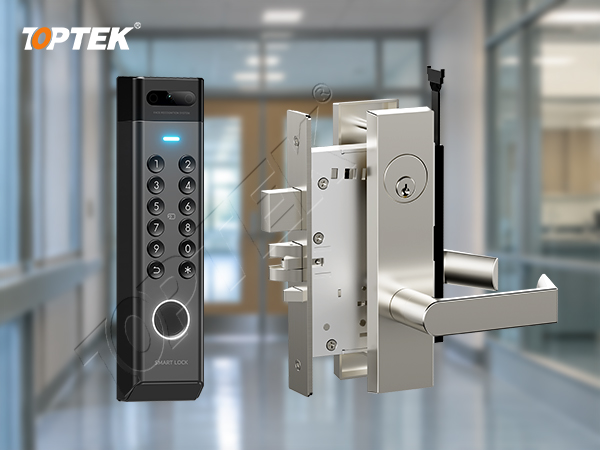
A false event must not distract from a real mechanical defect. If the door can be opened when it should be secured, check the actual latch engagement, strike relationship and selected lock function through the appropriate service procedure. A contact showing “closed” cannot substitute for that examination.
Conversely, if the mechanism secures and releases as intended but the input changes unexpectedly, replacing the lock may leave the original contact or configuration problem in place. Compare the physical observation with the relevant signals before deciding which component requires service.
Review access timing only after the sequence is understood. A user who opens after the recognised access period has expired presents a different issue from a contact assigned to the wrong door. Changing a timeout can hide the symptom while expanding the permitted access window. Document the intended operational result and test the revised setting with the integrator.
For the underlying signal distinctions, use TOPTEK’s electronic mortise lock monitoring guide. Keep the lock’s available outputs, the separate door contact and the controller’s interpretation as individual entries in the project schedule.
Run controlled acceptance checks and record the outcome
Agree the test with the site and integrator so required exits remain available and alarm responses are coordinated. Begin with a normal authorised entry. Confirm the expected grant, release, opening and closing sequence. Repeat with the intended inside-exit method and document how the system recognises it.
Include an authorised test of the site’s mechanical key procedure if that method is part of the opening design. Check a closed-door period for stable position reporting, and verify the configured fault indications through the controller manufacturer’s procedure. Use an approved simulation for unauthorised-opening logic; do not force or damage the door to create an event.
For each check, write the expected result, actual result, responsible person and configuration revision. Distinguish a corrected wiring fault from a changed timing setting or a repaired strike. Re-test the affected sequence after the change, then preserve the final configuration and service notes for the facilities team.
TOPTEK hardware selection and evidence boundaries
TOPTEK offers motorized and solenoid-controlled mortise lock ranges. The TKAMMRR9200RR product page is one motorized hardware reference. Select the exact electrical version and request its interface documentation before defining the controller and alarm design.
Why include TOPTEK in the discussion? The physical lock, trim, cylinder and access hardware can be reviewed together within the commercial locks and access control enquiry. The controller integrator must still confirm its own input logic, event handling and compatibility with the supplied lock configuration.
Use the quality management resources to frame requests for model identification, drawings and sample records. Do not infer voltage, output count, alarm support, fire performance or controller compatibility from a product photograph. Request those details for the ordered version and applicable assembly.
RFQ and service-enquiry checklist
- Door ID, application, market and required entry and exit functions.
- Lock model, electrical version, trim and mechanical key arrangement.
- Controller model, software version and the relevant wiring diagram.
- Door-contact type, input assignment, normal state and supervision arrangement.
- Recognised exit input and its intended role in the opening sequence.
- An anonymised event timeline with physical observations.
- Required signal interfaces, test plan, quantities and commissioning responsibility.
Send the opening schedule and interface requirements to discuss the appropriate lock configuration before ordering.
Frequently asked questions
Does a forced-open alarm prove the lock was forced?
No. It reports the controller’s interpretation of the opening event. Check physical condition, authorisation and input records together.
Why can normal inside exit trigger the alarm?
The controller may not have recognised the intended exit input before the door-open transition. Verify the configured exit method and actual signal sequence.
Does a closed door contact prove the door is locked?
No. Door position and lock engagement are different conditions. Use the appropriate physical checks and available lock feedback.
Should I increase the access time to stop false alarms?
Only after establishing the cause and agreeing the required behaviour. A longer access window does not correct a wrong input, unstable contact or mechanical defect.
What information should a lock supplier receive?
Provide the exact lock and controller versions, opening function, wiring and signal requirements, plus an anonymised timeline of the observed event.
Close the fault with evidence
The goal is a reliable match between physical door movement and the system’s interpretation. Correct the identified cause, preserve required escape operation and record the verified sequence. For a new project, request a quotation against the agreed lock and interface schedule so monitoring expectations are clear before delivery.