

Electronic Mortise Lock Monitoring Guide: Door Position, Latch, Deadbolt and REX Signals
TL;DR
Door position, latch status, deadbolt position and request-to-exit are different signals. A controller command may be successful while the door remains open or the latch does not engage. Define each contact by the physical condition it represents, confirm normal and alarm logic for the exact model, allocate conductors, and commission the displayed state against the real door.
Start with the Electronic Lock and Access Control product hub, then use this narrower guide to define the required function and approval evidence.
Quick Answer
Build a point list and state table before quotation. For every required signal, name the physical component, normal condition, contact logic, controller input and expected display. Then test normal entry, door open, door closed and latched, deadbolt changes, inside egress, mechanical override and power loss on the identified configuration.
A command is not the same as confirmed door state
An access controller may record that it sent an unlock command. That event does not prove that the actuator moved, the user opened the door, the door closed again, or the latch entered the strike. Monitoring should answer the physical questions needed by operations rather than repeat the controller output.
Write separate points for command, door position, latch, deadbolt and request-to-exit when the project requires them. Combine points only when the responsible system designer knowingly accepts the lost information. A generic “lock status” note is too ambiguous for commissioning.
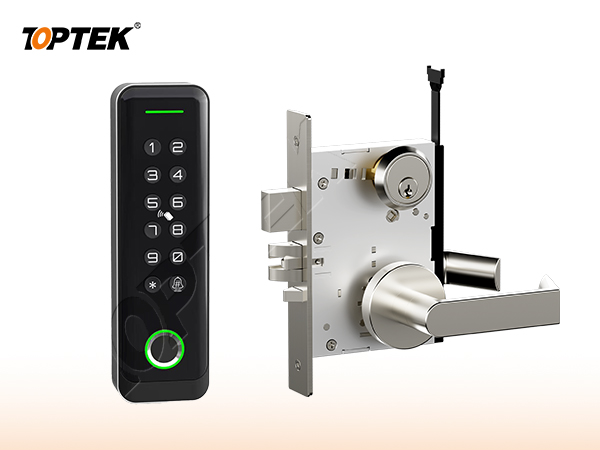
Define door-position monitoring separately
Door-position monitoring reports whether the leaf is in the contact-defined open or closed position. It does not necessarily confirm that the latch is engaged or the door is secure. A closed leaf can rest against seals without fully latching, and a latch can be retracted while the door remains closed.
State where the position device is located, its normal electrical condition and how the controller interprets transitions. Confirm tolerances across door movement, closer action and expected building conditions. The position point may come from a separate door contact rather than the mortise lock, so assign supply responsibility.
Separate latch and deadbolt monitoring
Latch monitoring observes the latchbolt or a model-specific related mechanism. Deadbolt monitoring observes a different component and may have different states. Do not label either point “door closed” unless the project has explicitly defined that interpretation. The physical meaning belongs in the point schedule.
Use current wiring information for the exact quoted model. TOPTEK internal source material describes monitored electronic families, but the model matrix requires electrical values, contact availability and certification scope to be verified per configuration. This guide therefore does not claim that every model includes every signal.
Treat REX as an event with a stated source
Request-to-exit can be generated by an inside lever switch, a motion sensor, a push button or another approved device. An inside-lever REX signal reports an operating action; it does not necessarily prove the door opened. State the source, timing and controller purpose, such as suppressing a forced-door alarm during normal egress.
Define inside egress independently from REX reporting. The door must perform the approved egress sequence even if the monitoring contact or controller input fails, where required by the project. Verify the mechanical action and the electrical event as separate acceptance steps.
| Signal | Physical question | Important boundary |
|---|---|---|
| Controller command | Was an output sent? | Does not confirm physical movement |
| Door position | Is the leaf at the contact-defined position? | Does not prove latch engagement |
| Latch status | Is the monitored latch mechanism in its defined state? | Does not always prove door position |
| Deadbolt status | Is the monitored deadbolt in or out? | Separate from latch and access command |
| REX | Was the defined exit action detected? | Does not prove the door opened |
Specify contact logic, conductors and truth tables
For each point, document normally open or normally closed terminology together with the physical normal state, because teams sometimes use “normal” to mean powered, locked, closed or idle. Include common, signal and any supervision arrangement, but take exact conductor count and ratings from current model documents.
Create a truth table for at least normal secured, authorised release, door open, door closed but unlatched, door closed and latched, deadbolt operated, inside egress, mechanical override and power loss where applicable. Mark unavailable points instead of inventing a status from another model.
Approve the opening as a system
Electronic Lock and Access Control is only one part of the opening. The door leaf, frame, strike or rod interfaces, trim, cylinder, closer, power components where applicable, and the installation conditions all influence the result. Begin with the TOPTEK electronic-lock hub, the TKAMMRR9200(RR) motorized reference and the TKAMSEC9200(EC) solenoid reference; request exact model wiring and contact data. A catalogue family name cannot replace a coordinated opening schedule.
Give every opening a unique number. Attach the current elevation, door and frame construction, thickness, swing, handing, hardware interfaces, finish, evidence requirements and sample reference. When one field changes, reopen the affected checks instead of assuming that the earlier approval remains equivalent.
Use a state-based approval test
Write the normal, locked, authorised-entry, emergency-egress, override and abnormal states that apply. For each state, record what the user does and what each latch, bolt, rod, lever, key or electrical input must do. Mark a state N/A when it truly does not apply; a blank field hides a decision.
Operate the labelled sample in the same sequence. Review from both sides of the door, then repeat the critical checks in representative preparation. Photograph labels and interfaces, but preserve the signed state table as the controlling approval record. Appearance alone cannot prove function.
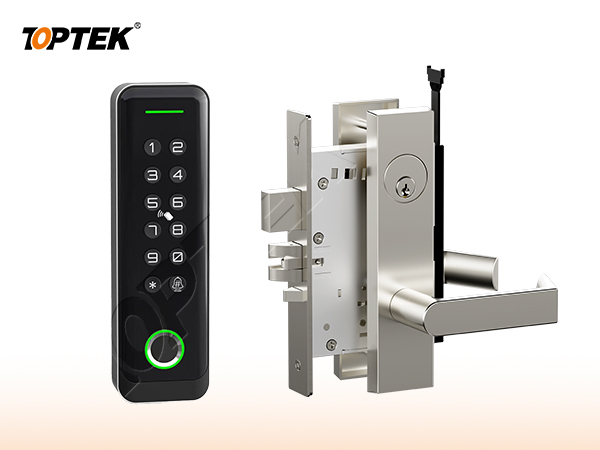
Separate product evidence from project approval
A certificate, test report or declaration applies only to the product, construction, standard and configuration named in its scope. A project still needs to determine whether that evidence is the document it requires. Request current original records and compare model identifiers with the quotation, drawing and sample.
Do not turn an internal development test, a website badge, a similar model or a customer statement into third-party certification. If evidence remains open, record the missing document, responsible reviewer and due date. This draft intentionally avoids unsupported cycle, load, corrosion, fire or material claims.
Buyer approval checklist
- Opening number, door type, frame and swing
- Plain-language operating sequence from both sides
- Exact product, trim and interface references
- Door preparation and installation tolerances
- Required model-specific evidence and revision
- Labelled sample and acceptance owner
- Packaging, site inspection and handover controls
- Repeat-order change-control reference
Common mistakes and project risks
Typical errors include treating an unlock command as a secure-state confirmation, using door position as proof of latching, labelling every contact “lock status”, assuming a REX event means the door opened, and copying conductor counts or contact logic from a related model. These gaps can create nuisance alarms or hide an unsecured opening.
The practical consequences can include re-machining, replacement hardware, revised wiring or keying, delayed inspection and uncontrolled site modification. Stop approval when the operating sequence, physical interface or evidence scope is unclear. A question recorded before production costs less than an assumption discovered across installed doors.
TOPTEK evidence and product scope
TOPTEK uses product-family material, model images and internal engineering observations to frame the buyer questions in this guide. These sources support a configuration discussion; they do not make every option, dimension or approval universal. The supplied configuration still has to be identified on a current drawing.
Use the TOPTEK resources centre for product documents and the applicable evidence request. Where a source describes internal testing, treat it as internal verification unless an original third-party document for the quoted configuration is separately reviewed.
RFQ checklist
- Opening number and complete access-control state narrative
- Exact lock model, actuator and fail-state configuration
- Required door-position, latch, deadbolt and REX points
- Physical meaning and normal state for every contact
- Contact logic, ratings, supervision and cable conductors
- Controller input mapping, display text and event timing
- Required evidence list and market/project basis
- Sample quantity, acceptance tests and owner
- Drawing, quotation and order revision control
- Production labels and packaging requirement
Why TOPTEK: turn selection into a controlled record
TOPTEK can review a marked-up schedule, translate shorthand into operating and interface questions, and identify missing information before quotation. The objective is not to guess the designer’s decision; it is to give the responsible parties a clear configuration to approve.
Quotation, drawing, sample label and order acknowledgement should carry the same reference. This lets door manufacturers, distributors, integrators and project teams detect substitutions or later changes. It also creates a practical basis for repeat-order inspection.
Two-level CTA
For an initial review, send the opening list, door images or elevations and the required user sequence. Highlight unknowns. TOPTEK can return a focused question list without presenting assumptions as confirmed facts.
For a formal RFQ, submit the approved schedule, drawings, interfaces, evidence requirements and sample protocol through the TOPTEK contact page. Request a configuration-specific response and identify the person authorised to approve deviations.
Conclusion
Good hardware selection is a controlled translation from user behaviour to product configuration. Define the function, verify the physical interfaces, check the applicable evidence and demonstrate the identified sample. Do not let a general product name carry decisions it cannot contain.
Preserve the result through procurement, production, installation and handover. That discipline reduces avoidable replacement risk while keeping every TOPTEK statement inside the evidence and configuration actually reviewed.
Frequently asked questions
Is door position the same as latch status?
No. Door position reports the leaf at a defined position, while latch status reports a latch-related physical state on the configured device.
Does an unlock command confirm that the door unlocked?
No. It confirms only that the controller issued a command unless a separate physical feedback point verifies the mechanism.
What does a request-to-exit signal prove?
It proves that the defined REX source operated; it does not by itself prove that the door opened or relatched.
Does every electronic mortise lock provide every monitoring contact?
No. Confirm contact availability, logic, ratings and conductors from current model-specific wiring information.
How should monitoring be commissioned?
Operate every defined physical state, compare the actual door and lock with controller input and display, test abnormal and power-loss states, and record the results by opening.