

ANSI Privacy Mortise Lock: F19 Deadbolt vs F22 Privacy Function
TL;DR
Choose F19 when the privacy state requires an inside-operated deadbolt and simultaneous inside retraction of latchbolt and deadbolt. Choose F22 when privacy is created by locking the outside lever through the specified thumbturn, push button or privacy control without the same defining deadbolt sequence. Both require inside egress and a coordinated outside emergency release.
Start with the ANSI Grade 1 Mortise Lock product hub, then use this narrower guide to define the required function and approval evidence.
Quick Answer
Ask one decisive question: must the privacy control project a deadbolt? If yes, review F19. If privacy only disables the outside lever while the latch remains the principal bolt, review F22. Confirm the exact trim, emergency-release method and sample operation.
The functional difference
TOPTEK describes F19 as privacy with deadbolt: the inside thumbturn projects or retracts the deadbolt, the projected deadbolt locks the outside lever, and the inside lever can retract latchbolt and deadbolt together for egress.
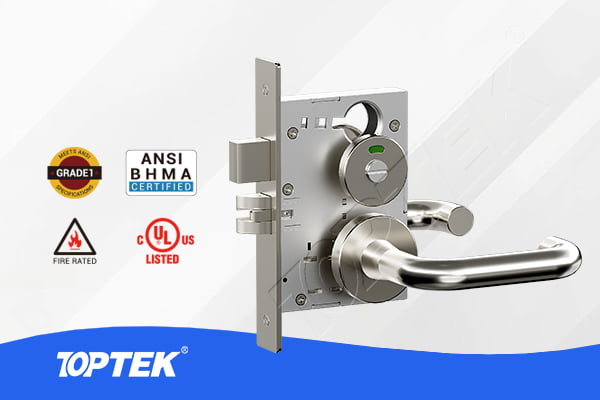
TOPTEK describes F22 as a privacy function in which an inside thumbturn, push button or privacy turn locks the outside lever. The inside lever remains free, and an outside emergency tool or coin turn can release the privacy condition depending on trim.
Turn the function name into an operating sequence
A useful ANSI Grade 1 Mortise Lock schedule does not stop at a room label or catalogue function. It states who approaches from each side, which control changes the outside condition, what the latch and any deadbolt do, and how a person leaves from inside. For the search intent “F19 vs F22 privacy mortise lock”, this plain-language sequence is the first approval record.
Write normal, secured, authorised-entry, emergency-access and inside-egress states. If a state is not relevant, mark it not applicable instead of deleting it. This prevents purchasing, installation and commissioning teams from inventing different answers later.
Choose from bolt behaviour
F19 is not merely a stronger-sounding privacy label. Its defining question is the deadbolt state and simultaneous inside release. F22 instead focuses on privacy control of the outside lever. State whether the opening needs a projected deadbolt before discussing appearance.
For bathrooms, bedrooms, clinics, staff rooms and consultation rooms, the responsible team must still check local accessibility, egress and emergency-access requirements. The function name does not approve the complete opening.
Coordinate the complete opening
The lockcase works with trim, cylinder or turn, spindle, door preparation, strike, closer and key or access policy. A correct function inside the wrong set can still produce a failed sample. Link every selected component to the opening number and drawing revision.
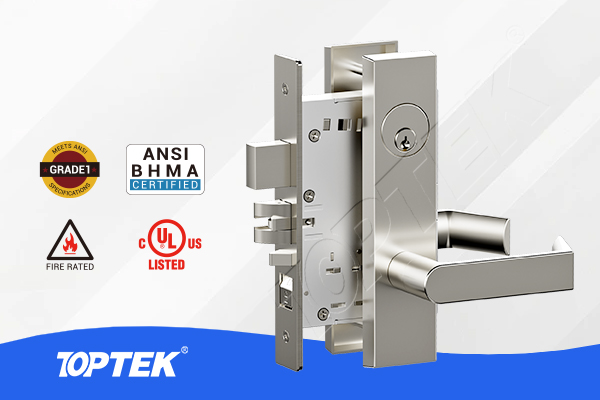
Use the TKAMRR9200 round-rose reference and ANSI product hub only as product references. A web photograph or trim name cannot prove internal function, dimensions, evidence scope or suitability for a particular doorset. Request the current configuration drawing and applicable original evidence.
| Decision | F19 privacy with deadbolt | F22 privacy |
|---|---|---|
| Privacy control | Inside thumbturn operates deadbolt | Inside turn/button controls outside lever |
| Defining bolt | Latch plus deadbolt | Latch; no defining privacy deadbolt |
| Inside exit | Retracts latch and deadbolt together | Inside lever remains free |
| Outside emergency | Tool/coin release by trim design | Tool/coin release by trim design |
| RFQ focus | Deadbolt and simultaneous release | Control type and outside lever state |
Approve evidence at configuration level
A family page can show the available product direction, but certificates, test reports and declarations apply only to their stated model, construction and scope. The buyer should request the document needed by the project and compare identifiers with the quoted and sampled configuration.
Do not convert an internal development statement, marketing badge or adjacent model result into third-party approval. Record unresolved evidence as an open action, with an owner and due date, before production release.
Build a controlled comparison matrix
Place the two candidate configurations in adjacent columns and compare only fields that can be approved: outside operation, inside operation, latch and bolt state, cylinder or turn interface, trim, preparation, evidence and sample reference. This makes a missing answer visible instead of burying it in email threads.
Use one row for every opening variation. If a project changes the door thickness, hand, trim, keying or emergency-access method, treat that row as a separate configuration until the responsible reviewer confirms equivalence. A comparison matrix is a purchasing control, not a declaration that two products are interchangeable.
Buyer approval checklist
- Opening number, room use and door direction
- Plain-language inside and outside operation
- Lockcase function and exact model reference
- Trim, cylinder or turn, spindle and fixing interfaces
- Door thickness, edge preparation, strike and closer
- Keying or emergency-access responsibility
- Required evidence and applicable configuration
- Labelled sample, revision and acceptance owner
- Repeat-order change-control reference
Control the sample review
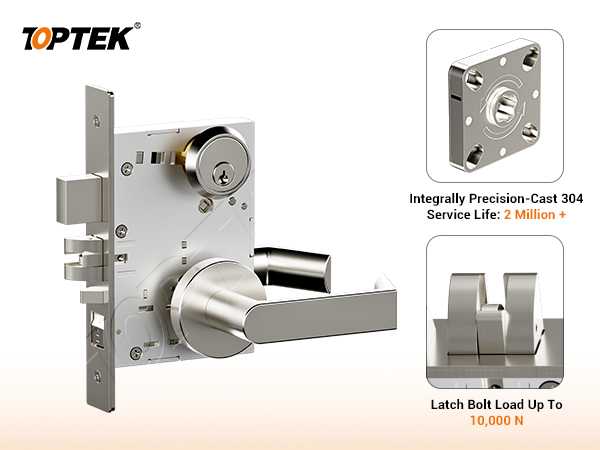
Operate the sample from both sides in every scheduled state. Observe latch engagement, bolt movement, lever return, privacy or key control, emergency access and inside release. Compare the physical sample with the drawing rather than approving appearance alone.
Photograph the label and record the sample reference, but retain a signed operating checklist as the real approval evidence. If trim, cylinder, hand, preparation or function changes, reopen the affected checks.
Plan installation and handover
Give installers the approved preparation and operation sheet, then verify the first installed opening before repeating the work. Handover should identify keys, tools, controls and maintenance responsibilities.
Keep the approved sample or an equivalent signed record available when later batches arrive. This supports incoming inspection and prevents an unrecorded accessory change from altering the intended operation.
Common mistakes and project risks
Common errors include choosing from the room name, assuming similar trim means similar function, omitting the emergency state, and accepting a quotation that does not repeat the selected interfaces. These shortcuts hide ambiguity until doors are machined or occupants begin using the opening.
Consequences can include replacement lockcases, re-machining, revised keying, delayed inspection, confusing user behaviour and uncontrolled site modifications. Stop and clarify the required state rather than adapting parts informally.
RFQ checklist
Send the door schedule, operating sequence, function, exact model or approved equivalent, trim, cylinder or turn, spindle, door thickness, preparation, strike, closer, finish, evidence list, sample quantity and acceptance owner. Ask the quotation to mark every assumption and missing field.
Require quotation, drawing, sample label and order acknowledgement to carry one configuration reference. This creates a traceable boundary between an approved product and a look-alike substitution.
Why TOPTEK
TOPTEK can review a marked-up schedule, translate shorthand into operating states and identify missing interfaces before quotation. The team can then align product reference, drawing, sample and production record around the same decision.
This process does not replace the responsible consultant, authority, installer or system designer. It gives those parties a clearer record to approve and makes repeat-order changes easier to detect.
Two-level CTA
For an initial review, send the opening list and describe how each door is entered, secured and exited. Highlight uncertainty instead of guessing a function code.
For a formal RFQ, submit the approved schedule, drawings, component interfaces, evidence requirements and sample protocol through the TOPTEK contact page. Request a configuration-specific response.
Conclusion
The right answer to F19 vs F22 privacy mortise lock comes from the required operating states, not from a broad product label. Separate function, physical interfaces, evidence and approval responsibility, then test them together on the identified sample.
Preserve the decision through quotation, drawing, sample, production and handover. That discipline reduces replacement risk while keeping product claims within the evidence actually reviewed.
Frequently asked questions
What is the main difference between F19 and F22?
F19 uses a deadbolt-based privacy state, while F22 creates privacy by locking the outside lever through the specified privacy control.
Does F19 permit inside egress?
In the TOPTEK function description, the inside lever can simultaneously retract latchbolt and deadbolt for immediate egress.
Does F22 require a deadbolt?
A deadbolt is not the defining F22 privacy operation; confirm the exact supplied configuration and trim.
Can the outside privacy release be assumed?
No. Confirm whether the approved trim uses a coin turn, tool or another documented emergency-release interface.
What should the RFQ include?
Include the operating sequence, F19 or F22 reference, trim, privacy control, emergency release, preparation, evidence and sample protocol.