

TL;DR
- Panic bar and crash bar are commonly used names for exit hardware. Neither name establishes a performance rating.
- Separate the operating style from the latch arrangement, outside trim and door configuration.
- Identify the exact device, matching components and applicable evidence before accepting a substitution.
- Use a door schedule and marked photographs to turn an informal description into a purchase specification.
Quick Answer
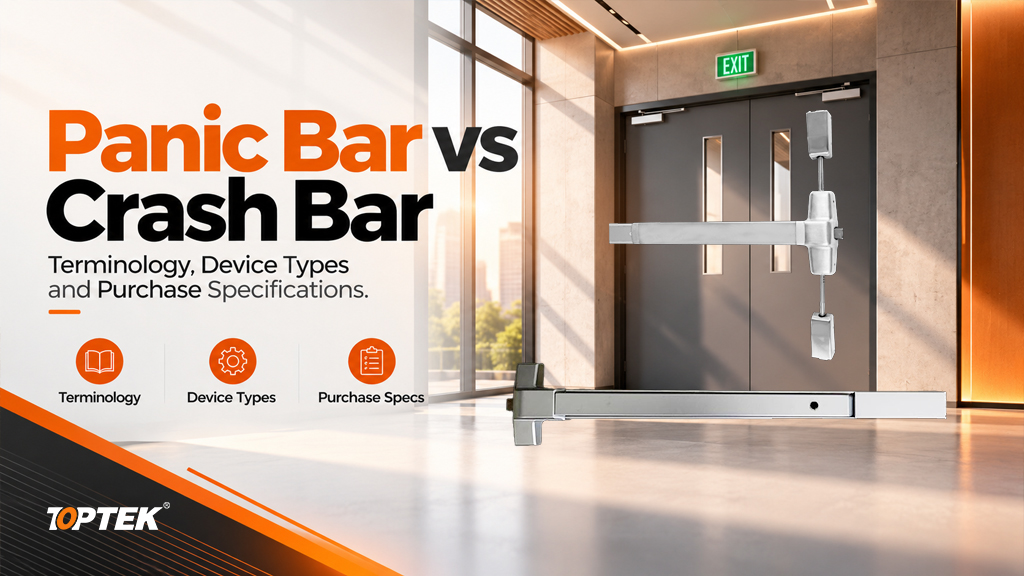
Panic bar and crash bar usually refer to a horizontal operating device that releases a door latch when pushed from the exit side. The terms alone do not tell a buyer whether the product is a rim device, a vertical rod device, suitable for a particular fire door, or compatible with the outside trim. Specify the device architecture, opening conditions, required entry function and documented performance separately. When comparing offers, ask each supplier to identify the complete assembly and its installation requirements against the same door information.
Translate the names into components buyers can verify
Terminology varies between markets, catalogues and maintenance teams. A technician may describe the visible bar, while a specification writer describes the entire exit device. That difference can cause a purchasing error when the requested item is only a replacement touchpad but the quotation covers the mechanism, latch and mounting parts.
In a purchase specification, treat the familiar names as the start of the description. Add the device architecture and intended function so that a supplier can identify the right assembly. Never use a shared name as proof that products from different manufacturers are interchangeable.
| Wording in an enquiry | What remains undefined | Useful clarification |
|---|---|---|
| Panic bar or crash bar | Device type and complete supply scope | Request a model reference and assembly drawing. |
| Push bar | Whether it operates a latch or is only a push fitting | Show the latch mechanism and describe the required operation. |
| Touch bar or crossbar | Latch position, trim function and approvals | Specify the operating style separately from the locking arrangement. |
| Fire exit hardware | Suitability for the particular rated opening | Request the relevant listing and doorset compatibility documents. |
TOPTEK’s panic exit device range is a starting point for identifying the product family. Follow that first selection with a drawing review. The photograph helps communicate the visible arrangement, while the drawing defines the interfaces that determine fit.
Separate operating style from latch arrangement
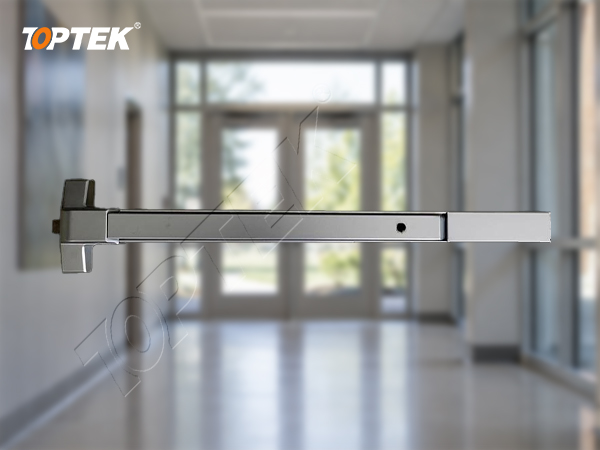
A horizontal touch surface tells you where the user pushes. It does not describe where the door is retained. In a rim arrangement, the main latch engages a strike near the side of the opening. A vertical rod arrangement transfers operation to latching points toward the top and bottom. The exact components and application limits depend on the selected system.
Door pairs require particular care. Identify the active leaves, meeting edges, existing mullion or astragal, and required opening sequence. A description such as “two crash bars” leaves those relationships unresolved. The hardware must release and relatch in the way intended for that opening, including the permitted interaction between leaves.
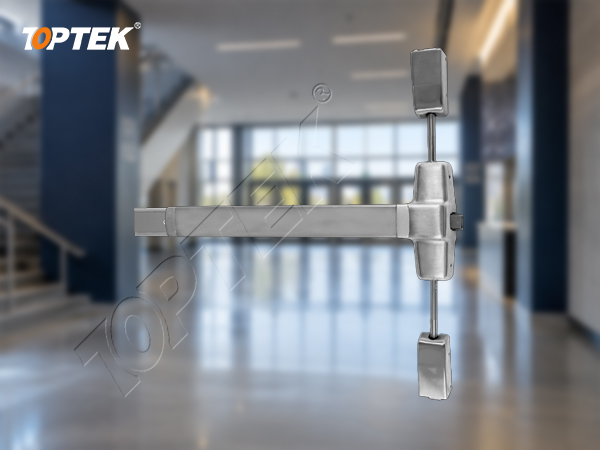
For example, a door buyer can submit a photo of the existing assembly and label the observed latch locations. This is useful evidence for selection, but it is not a substitute for the new manufacturer’s mounting template. Retaining old holes is a project objective that still requires confirmation against the proposed assembly.
Write the outside entry function separately
Exit-side operation and outside entry are separate purchasing decisions. A door might need exit-only service, keyed re-entry or controlled entry through compatible trim. Ask what happens outside when the device is secured, when a key is operated and when any access-control command is present. Use plain actions instead of relying on an unfamiliar catalogue function name.
The outside lever or pull must match the selected device, door thickness and fixing method. A cylinder that physically enters the trim may still have the wrong cam, tailpiece or operating action. Have the supplier confirm the complete combination rather than ordering the visible components independently.
For doors with electrical options, describe the required action precisely. Releasing outside trim, retracting the latch and reporting a request to exit are different functions. Include the controller interface and power requirements only where the selected assembly supports them. Do not assume that a generic crash bar description includes any electrical feature.
A simple functional schedule should state the expected action from both sides of the door. Include normal operation, any permitted change of entry mode and the required return to the secured condition. This gives the installer and purchaser a shared basis for checking the delivered hardware.
Confirm the opening and installation information
Measure the actual door leaf and identify the usable mounting area, door material, frame construction and available reinforcement. Record protruding trim, glazing beads and adjacent surfaces that could interfere with the operator. For an existing opening, include clear photographs from both sides and of the latch engagement.
Device length is only one dimension. The centre case, end mounting and strike position all need room. Use the selected manufacturer’s instructions for permitted adjustment or cut-down. Do not shorten a mechanism based solely on the visible difference between the bar and the door width.
The TOPTEK door preparation guide provides a related framework for coordinating the installation details. For early selection, a marked door photograph is enough to begin the discussion. Add the dimensioned drawing before ordering production quantities.
- Give every opening a unique door reference.
- Record single or paired leaves and the direction of travel.
- Identify door and frame materials and any existing labels.
- Show latch locations, mounting holes, reinforcement and outside trim.
- List required accessories and identify who supplies each part.
Keep performance evidence tied to the exact assembly
The names panic bar and crash bar are not certification statements. For a regulated opening, establish the applicable local requirements with the project team and then request evidence for the exact device and configuration. A catalogue family name alone cannot establish the suitability of a particular door, frame, trim and fixing combination.
In US terminology, fire exit hardware has a specific role on rated openings. Allegion’s explanation of panic and fire exit hardware distinguishes their test applications. Buyers should use that distinction to request the correct documents, while following the adopted code, listing and project requirements for the actual opening.
TOPTEK’s product development process includes prototype, sample and production checks. These activities support manufacturing control; the TOPTEK testing laboratory provides further context. They do not replace a third-party listing or extend a test result to an unrelated configuration. Request the model identification, report scope, relevant installation instructions and traceable component list together.
The PEDAM001 product page helps identify a candidate device. Resolve any naming difference between a drawing, order code and product photograph before purchase. A shared visual appearance should never be the only evidence that two references describe the same assembly.
Avoid common quotation and substitution errors
The first common error is comparing a bare device price with a complete hardware set. One offer may include strike and outside trim while another excludes them. Ask for the same supply boundary and identify optional parts explicitly. This makes the cost comparison useful without assuming that the lowest line item represents the lowest installed cost.
The second error is approving a replacement from a photograph alone. Hole positions, latch engagement, door reinforcement and component compatibility can differ even when the bars look similar. Require a written record of retained components and changed components before accepting a substitution.
A third error is using everyday words as acceptance criteria. “Works smoothly” is not enough to define a handover. Record the approved operating sequence, the matching strike and trim, and the checks required by the installation instructions. Investigate rubbing, incomplete relatching or loose mounting before the opening is accepted.
The project risks are practical: omitted components delay installation, mismatched trim prevents intended entry, and unsuitable substitutions can invalidate the evidence for a regulated opening. Resolve these risks through a complete schedule and a representative installation review.
Request a comparable hardware quotation
Why TOPTEK? TOPTEK supplies commercial locking and architectural hardware and supports OEM/ODM development and product validation. For a panic hardware enquiry, the useful starting point is the relationship between the device, the door and the required operation. That lets the discussion focus on a suitable assembly and the documents needed to assess it.
Send an RFQ containing the door reference, quantity, door and frame details, latch arrangement, outside entry function, required finish, evidence requirements and installation constraints. Include existing product markings if the enquiry concerns replacement. State whether accessories, packaging identification and spare components belong in the quotation.
For an initial fit review, send photographs and a short operating description. For a formal quotation, submit the completed schedule through TOPTEK’s commercial door hardware manufacturing page. Ask the response to identify proposed models, exclusions and the documents supplied with the offer.
Frequently asked questions
Is a crash bar different from a panic bar?
The names commonly refer to the same broad exit hardware family. Specify the device type, function and evidence separately because the name alone does not define them.
Does a push bar always operate a latch?
No. The phrase can be used loosely. Confirm whether the requested item is an exit device that releases a latch or simply a push fitting.
Can I replace one brand with another using the existing holes?
Only after checking the proposed mounting template, reinforcement, strike, trim and applicable approval conditions. Similar appearance does not prove compatibility.
Does the term panic bar mean fire rated?
No. Fire-door suitability requires evidence for the exact hardware and opening configuration under the applicable project requirements.
What should a first enquiry include?
Send the door reference, photographs, door and frame details, latch arrangement, outside entry function and required documentation. Add dimensions before final ordering.
Choose by assembly and function
Panic bar vs crash bar is primarily a terminology question. A reliable purchase specification goes further: it identifies the complete assembly, explains how the opening must operate and ties evidence to that configuration. Use those details to make supplier offers comparable and to give the installation team an unambiguous reference.