

TL;DR
- Record whether the touchpad, latch, or both fail to return; they are different observations.
- Identify any intentional hold-retracted function before diagnosing a mechanical fault.
- Compare approved operating checks with the door open and closed to separate device resistance from opening conditions.
- Keep an unreliable exit under the building’s approved temporary arrangements and arrange qualified service.
Quick answer
A panic bar not returning can involve an obstruction, binding components, an intentional hold-retracted setting, or an electrified command that remains active. A raised touchpad does not by itself prove that the latch has extended or the door has secured. Identify the exact device and options, record the touchpad and latch separately, and have a qualified technician compare the permitted operating sequence with the door open and closed. Do not increase force, alter springs, or substitute parts simply because the visible bar stays down.
Describe the return failure before ordering parts
Start with a precise complaint. Does the touchpad remain fully depressed after the user releases it? Does it return slowly, stop halfway, or rub at one end? Does the latch remain retracted while the touchpad appears normal? These observations direct a service visit far more effectively than describing the whole door as broken. Record the opening number, time, operating mode and whether the symptom happens on every use.
A short video should show the user’s normal push, removal of hand pressure, touchpad movement and subsequent door closing. Include the device label and enough of the opening to identify rim or vertical-rod construction. Avoid repeatedly operating a suspect exit just to obtain better footage. If reliable release or required latching is uncertain, the building operator should arrange immediate qualified attention and its approved temporary measures.
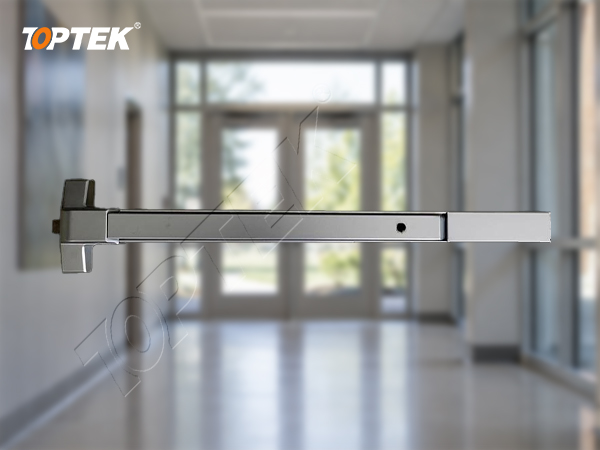
Use TOPTEK’s panic exit device range to identify the relevant product family. Similar covers can conceal different mechanisms, trims and electrical options. A photograph helps establish the starting point; the model label and installation documents control the repair decision.
Separate normal hold-retracted operation from a fault
Some exit devices have a documented function that holds the latch or operating mechanism retracted. Mechanical dogging, where provided and permitted, and electric latch retraction require different checks. An access-control schedule can also maintain a commanded state longer than a brief credential event. Confirm the installed options and the intended operating mode with the facility team before treating a depressed bar as evidence of a failed spring.
The distinction is model-specific. Allegion’s QEL support information describes a configuration in which both the latch and pushpad remain retracted while power is applied. That explains one possible operating pattern on the named equipment; it is not a statement that every electrified exit device, or a TOPTEK model, behaves that way.
The technician should verify the actual command and documented reset procedure. Do not add a hold-retracted function to overcome a return fault. For a fire or escape opening, the installed hardware arrangement and applicable project requirements determine which operating modes are permitted. Removing power without understanding the assembly can change security or alarm behavior and is not a general diagnostic shortcut.
Use a symptom matrix to narrow the service request
| Observed symptom | Question to resolve | Useful evidence |
|---|---|---|
| Touchpad remains down | Intentional hold-retracted mode or mechanical binding? | Option code, command state and release video |
| One end returns unevenly | Cover contact, impact damage or guide interference? | Side views and visible witness marks |
| Pad returns but latch stays in | Linkage, latch or electrical function issue? | Separate pad and latch observations |
| Failure only with door closed | Does strike contact or door loading affect operation? | Door gaps, strike location and closed-door comparison |
| Fault follows recent work | Did painting, trim fitting or adjustment change clearances? | Work record and before/after configuration |
This matrix describes investigation routes rather than diagnoses. Several conditions can coexist. For example, a control command may explain normal retraction during business hours while a damaged cover causes a separate mechanical problem after the command ends. Keep those events separate in the service record.
Inspect visible obstructions and mounting conditions
Begin with non-destructive observations. Look for packing film, adhesive residue, paint bridging a moving joint, displaced end caps, collision marks and objects contacting the touchpad. Record whether a nearby pull, protective guard or added sign obstructs normal movement. A cleaning or decoration project can change clearances without any modification to the internal mechanism.
Check the maintenance history before applying a cleaner or lubricant. A product that is suitable for one bearing or finish may be unsuitable for a touchpad guide, plastic component or electrical assembly. Follow the exact device instructions. Spraying an unknown product throughout the housing can conceal a symptom while introducing contamination, and does not demonstrate that the mechanism has been repaired.
Mounting and cover fit also deserve attention. The technician should compare fastener locations, support and installed trim with the approved template. Do not loosen fixings until the assembly happens to operate and then leave it unsecured. Any correction must retain the specified mounting method and be followed by a complete operational check.
Compare the device with the surrounding opening
A qualified technician can use the manufacturer’s permitted open-door check to observe release and return without normal strike engagement. A successful check helps narrow the investigation, but does not prove the closed opening will work. Some devices have special holdback or trigger behavior, so do not defeat a trigger or manually force a remote latch to imitate closure.
For the closed-door comparison, inspect door sag, hinges, seals, closer behavior and the contact between latch and strike. Record whether the fault appears after the door has been pulled against a seal, after a change in weather, or after a paired leaf has been repositioned. These are observations for diagnosis, not proof that one component is responsible.
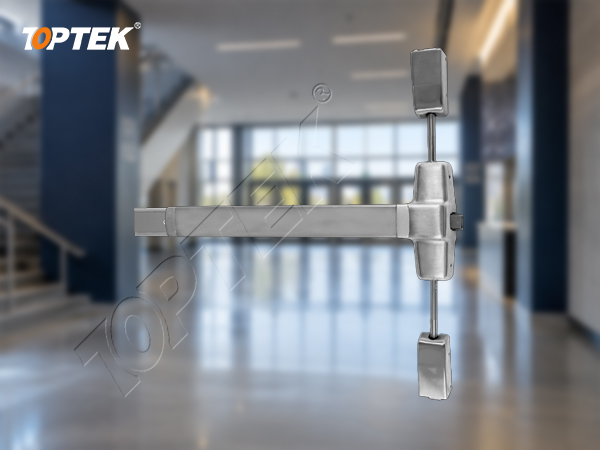
Rim devices and vertical-rod devices need different records. For a rim device, the frame strike and main latch are central. With vertical rods, document upper and lower receivers and the complete operating sequence. The PEDAM001 product reference helps identify the vertical-rod family; obtain the exact installation document before making adjustments.
Choose a service action and prove recovery
The service decision may be removal of a documented obstruction, correction of installation conditions, replacement of an approved component, or replacement of the complete device. Spring replacement should follow model identification and the manufacturer’s service instructions. A spring that looks similar can have different geometry, loading and attachment details. Do not bend a component or add an improvised return spring.
After correction, verify the intended function through the complete cycle: normal operation, release of hand pressure, touchpad recovery, latch behavior, door closing and required latching. Include outside trim and any authorised electrical function that forms part of the opening. Repeatability matters; a single successful demonstration does not explain an intermittent failure.
Record the component and revision used, who performed the work, the observed result and any remaining restriction. Keep routine checks in the panic bar maintenance checklist, while retaining this fault record as the explanation of what changed. Do not report the opening as restored while a required function remains unreliable.
Prepare a useful service and replacement RFQ
- Opening identification, building use and relevant project restrictions.
- Manufacturer, complete model, serial or batch label and device options.
- Rim or rod configuration, door handing, door thickness and outside trim.
- Exact return symptom, frequency and open/closed observations.
- Photos of touchpad ends, covers, latches, strikes and visible damage.
- Recent installation, decoration, cleaning or control-system changes.
- Required repair scope, replacement quantity and supporting documents.
State whether the buyer needs a fault review, an approved spare or a new matched assembly. Combining these requests into “send a stronger bar” encourages an unsuitable quotation. If a replacement is proposed, compare its preparation, trim interface and documented application before ordering a batch.
TOPTEK scope and evidence for the decision
TOPTEK’s panic-device offering provides a starting point for product identification and project discussions. Its commercial door hardware manufacturing capabilities are relevant when a distributor or door manufacturer needs a repeatable supply specification. The useful output is a defined device, matching hardware and an agreed reference assembly.
Ask for the model-specific drawing, available service instructions and evidence appropriate to the opening. TOPTEK’s quality-management information explains the broader quality context; it does not replace a particular device’s test report or installation requirements. A picture or a general product-family claim cannot establish a universal repair method or certification coverage.
Frequently asked questions
Does a panic bar staying down always mean a broken spring?
No. A documented hold-retracted function, an active electrical command, interference or internal binding can produce similar observations. Identify the model and operating mode before selecting parts.
Is the door secure if the touchpad returns?
Touchpad return alone does not confirm latch extension or engagement. Verify the latch and the complete closed-door cycle against the intended opening function.
Can I spray lubricant into the device?
Use only the lubricant, locations and method permitted by the device manufacturer. General spraying is not a substitute for identifying obstruction, wear or installation problems.
Why does the symptom appear only with the door closed?
Strike contact, door alignment or loading may influence the mechanism. Record the difference and have a qualified technician check the complete opening without assuming the lock alone is defective.
What should accompany a replacement request?
Provide the complete model and options, door and trim details, symptom video, label photographs, installation history and required project evidence. Confirm the matched assembly before ordering.
Request a return-fault review
A useful investigation separates the intended operating state from an actual failure, then checks touchpad movement, latch behavior and the surrounding opening. Send the identification and observation record for a compatibility review. When the appropriate service or replacement route is established, request a formal quotation against the agreed model, configuration, documentation and acceptance checks.